Import & Export
kle-ng supports importing and exporting keyboard layouts in multiple formats.
Supported Formats
KLE JSON
The standard Keyboard Layout Editor JSON format.
- Import and export layouts compatible with keyboard-layout-editor.com
- Supports both raw array format and internal format with metadata
PNG
- Export: Layouts are exported as PNG images with embedded layout data. Zoom in on the canvas before exporting to increase output resolution — the export captures the canvas at the current zoom level.
- Import: PNG files with embedded layout data can be re-imported to recover the editable layout — useful for sharing and archiving
TIP
Zoom in on the canvas before exporting to PNG to increase the output image resolution.
HTML and SVG
- HTML export: Produces a self-contained document (embedded CSS, no external dependencies) that renders the keyboard in any browser
- SVG export: Produces a vector graphics file suitable for embedding in documents or editing in vector tools
- Both formats are visually consistent with the editor, including support for rotated keys, ISO/non-rectangular shapes, homing nubs, rotary encoders, ghost and decal keys
- Import is not supported for HTML or SVG
VIA/Vial Format
VIA and Vial are keyboard configuration tools that use a special JSON format. VIA format wraps KLE layout data with additional metadata (keyboard name, vendor/product IDs, matrix configuration).
On import, kle-ng converts VIA format to KLE format and preserves VIA-specific metadata in a _kleng_via_data field, maintaining full compatibility.
On export, layouts containing _kleng_via_data metadata can be exported back to VIA JSON format using Export → Download VIA JSON.
| Imported file | Import result |
|---|---|
json | 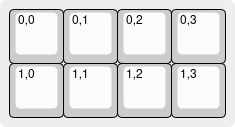 |
See VIA & Vial Format for detailed information.
QMK Format
QMK info.json files can be imported directly. kle-ng converts key positions, dimensions, and matrix coordinates into KLE format.
Imported keys receive:
- Positions from
x,yvalues - Dimensions from
w,h(default: 1×1) - Rotation from
r,rx,ry - Matrix coordinates in the top-left label as
row,col
| Imported file | Import result |
|---|---|
json | 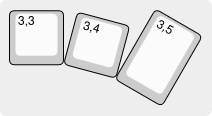 |
After importing a QMK layout, you can use the PCB Generator immediately since matrix coordinates are already assigned.
On export, layouts with matrix-annotated keys can be exported back to QMK info.json format using Export → Download QMK JSON. The reconstructed layout includes all original QMK metadata (keyboard_name, manufacturer, processor, USB config, etc.) merged with your updated key positions and dimensions.
See QMK Export below for detailed information.
Ergogen Format
Ergogen is a keyboard layout generator that uses YAML configuration. kle-ng can import:
- Ergogen YAML files directly
- Ergogen share URLs (e.g.,
https://ergogen.xyz/#N4Igxg9gdg...)
kle-ng decodes the URL, processes it with the Ergogen library, and converts the result to KLE format for editing.
| Imported file | Import result |
|---|---|
yaml | 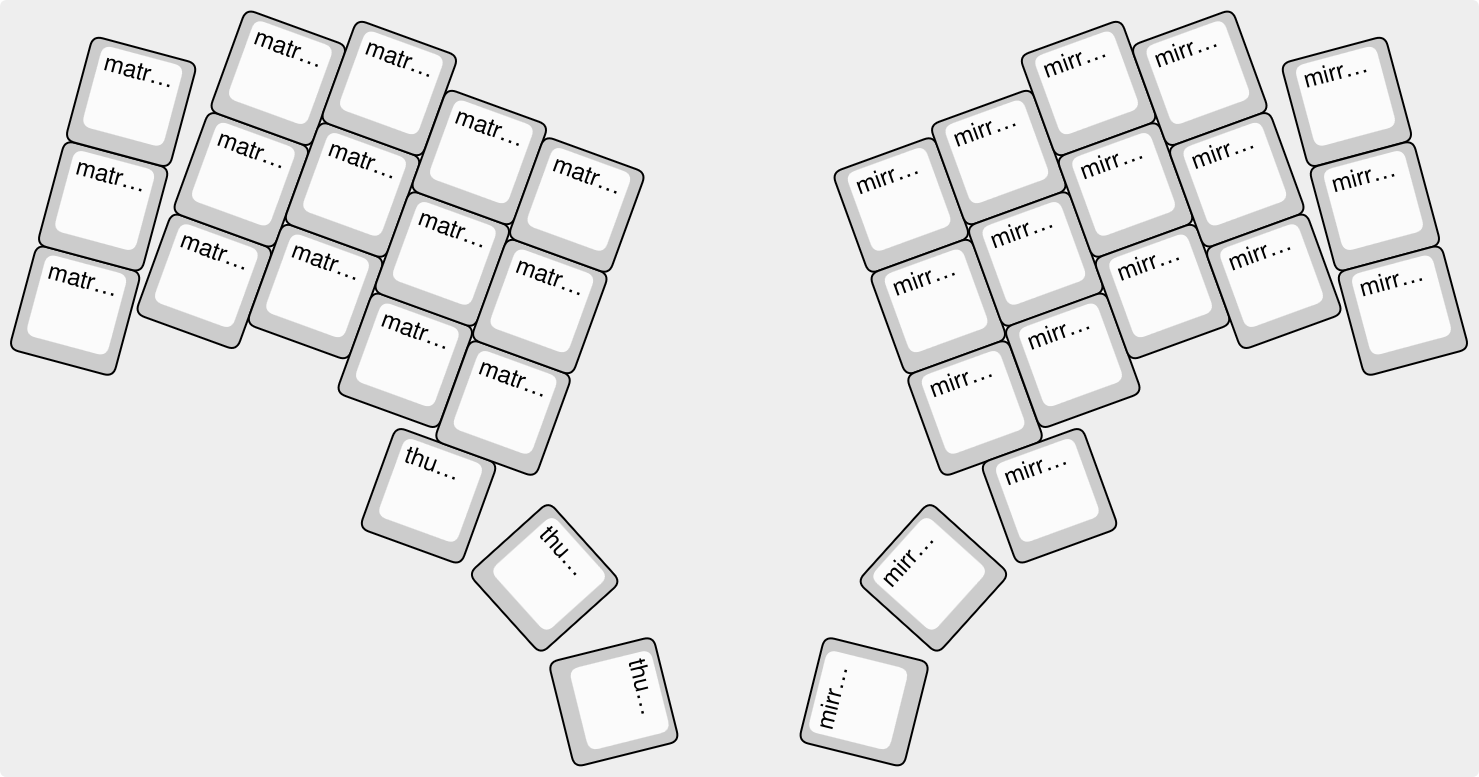 |
INFO
kle-ng does not support export to Ergogen format.
WARNING
kle-ng aims to preserve exact key positions when importing Ergogen layouts, but always double-check alignment when mixing outputs from different tools (e.g., Ergogen for PCB + ai03 Plate Generator for plate).
Importing
kle-ng supports multiple import methods:
Import Button
Click the Import button in the toolbar and select:
From File — Browse for a file on your computer. Supported formats: JSON (KLE, VIA/Vial, QMK), PNG (with embedded layout data), Ergogen YAML
From URL — Enter any of the supported URL formats:
- Direct JSON URL (any publicly accessible JSON file)
- GitHub Gist URL
- Ergogen share link (
https://ergogen.xyz/#...) - Existing kle-ng share link
Drag and Drop
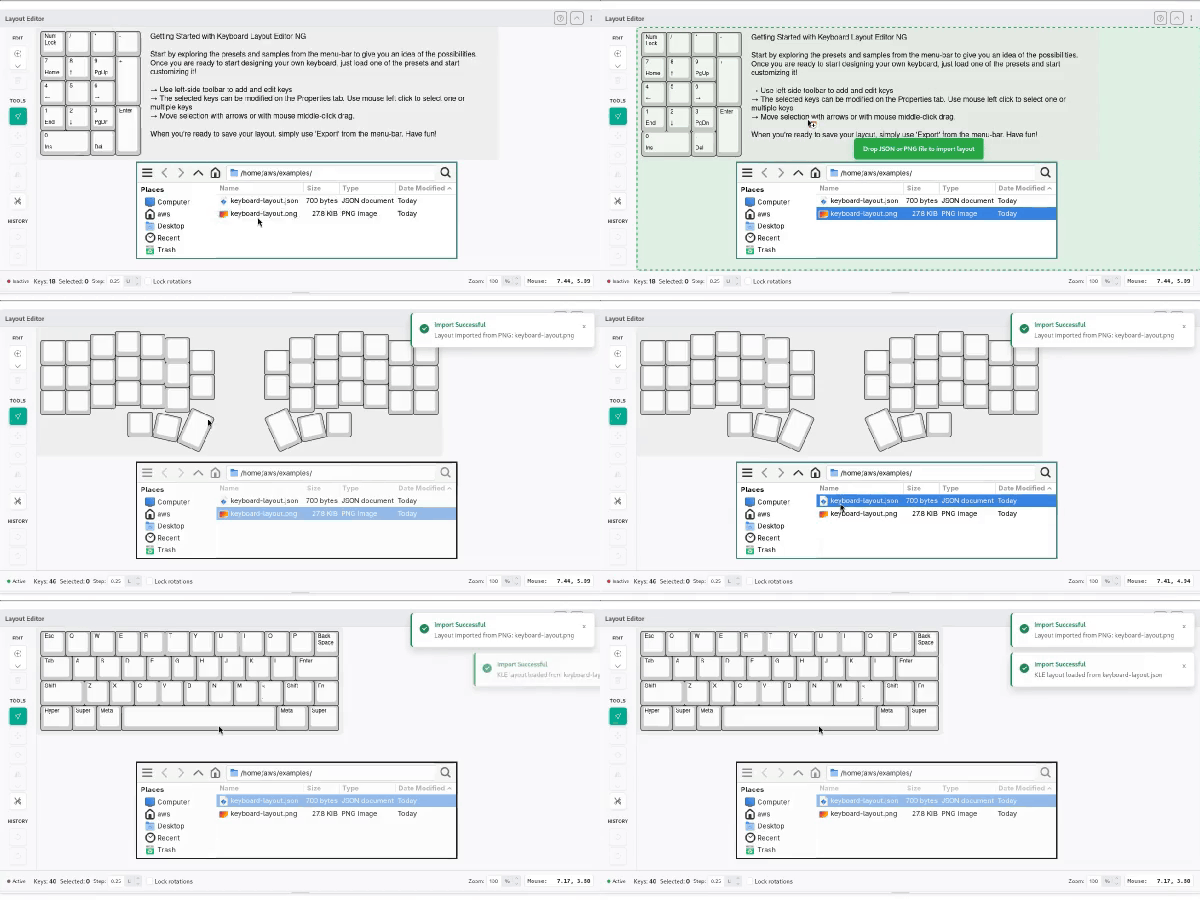
Drag layout files directly onto the canvas area.
Supported file formats: JSON (KLE, VIA/Vial, QMK), PNG (with embedded layout data), Ergogen YAML
Share Links
Open layouts shared via URL directly in the browser:
- kle-ng share link:
https://editor.keyboard-tools.xyz/#share=NrDeC... - Direct Gist ID:
https://editor.keyboard-tools.xyz/#gist=<gist-id> - Universal URL format:
https://editor.keyboard-tools.xyz/#url=<url>- Supports GitHub Gist URLs and Ergogen URLs as the
url=parameter
- Supports GitHub Gist URLs and Ergogen URLs as the
GitHub Gist File Priority
When importing from a GitHub Gist, kle-ng searches for layout files in this priority order:
layout.jsonkeyboard.jsonkle.json- Any file containing "layout" or "keyboard" in the name
- Any
.jsonfile
The JSON file may be in any recognizable layout format.
INFO
GitHub API has rate limits for unauthenticated requests. If you encounter rate limit errors, wait a few minutes before trying again.
Exporting
Click the Export button in the toolbar to access all export options:
Available Export Formats
| Option | Format | Notes |
|---|---|---|
| Download JSON | KLE JSON | Standard KLE format |
| Download PNG | PNG | Canvas-quality image with embedded layout data |
| Download HTML | HTML | Self-contained keyboard render |
| Download SVG | SVG | Vector graphics |
| Download QMK JSON | QMK info.json | Only available when keys have matrix coordinates |
| Download VIA JSON | VIA/Vial JSON | Only available when VIA metadata is present |
| Copy share link | URL | Generates a shareable #share= URL |
QMK Export
Layouts with matrix-annotated keys can be exported to QMK info.json format.
Requirements
- Keys must have matrix coordinates in the top-left label (format:
row,col) - Keyboard must have a name set in the Keyboard Metadata panel
If these are missing, Download QMK JSON will be unavailable in the Export menu.
Export Process
When you export to QMK format:
- Current keyboard name and author (from Keyboard Metadata) are used as
keyboard_nameandmanufacturer - All matrix-annotated keys are reconstructed with their current positions, dimensions, and rotations
- Original QMK metadata (processor, USB config, url, etc.) is preserved from the imported
_kleng_qmk_dataif available - Key positions are rounded to 6 decimal places to remove floating-point noise
Alternative Layouts
If your layout has alternative layouts, they are detected by scanning for option/choice labels (format option,choice):
- Shared keys — Keys without an option/choice label appear in all layouts
- Layout-specific keys — Keys with label
0,0go in the first layout; label0,1in the second layout, etc. - Layout names — Names are preserved from the original QMK
info.jsonif available; otherwise auto-generated asLAYOUT,LAYOUT_0,LAYOUT_1, etc.
The option number is ignored, so keys marked 1,0 and 5,0 are both grouped into choice 0 and appear in the same layout.
Example
Suppose you imported a QMK file with two layouts (ISO and ANSI). After editing:
- Keys at matrix [0,0] through [4,11] have no option label → appear in both layouts
- Keys at matrix [3,12] through [4,14] have label
0,0(ISO variant) → appear only in ISO layout - Keys at matrix [3,12] through [4,14] have label
0,1(ANSI variant) → appear only in ANSI layout
When exported, you get two separate layout definitions in the QMK info.json, each with all shared keys plus their specific variant keys.
Troubleshooting Import/Export Issues
JSON Parse Errors
Import fails with a parse error — Verify the file is valid JSON. Common causes: trailing commas, single quotes instead of double quotes, or a file saved with non-JSON content. Try opening the file in a text editor to inspect it.
GitHub Gist Issues
GitHub Gist import fails — GitHub API rate limits unauthenticated requests to 60 per hour per IP. If you hit the limit, wait about an hour before trying again. Alternatively, download the raw JSON and import From File.
Ergogen Compatibility
Ergogen import produces unexpected positions — Ergogen's coordinate origin and key rotation conventions differ from KLE. kle-ng aims to preserve positions faithfully, but always cross-check the result against Ergogen's own preview before using the output for manufacturing.
VIA Export Unavailable
"Download VIA JSON" is greyed out — VIA export is only available after importing a VIA file or manually adding VIA metadata in the Keyboard Metadata panel. See VIA & Vial Format for details.