VIA & Vial Format
What is VIA?
VIA and Vial are keyboard configuration tools used to remap keycodes on a running keyboard without reflashing firmware. They rely on a keyboard definition file that describes the physical layout alongside switch matrix wiring.
VIA format is a JSON file that wraps KLE layout data with additional metadata:
- Keyboard name
- Vendor and product IDs
- Matrix configuration (number of rows and columns)
- Key matrix coordinates in labels
The key labels use a special format that maps physical key positions to switch matrix coordinates. For example, a key labeled 0,1 is in row 0, column 1 of the switch matrix. To learn more, see the VIA specification.
When do you need VIA format?
- You are designing a keyboard that will use VIA or Vial for key remapping
- You want to use the PCB Generator, which reads matrix coordinates from key labels
- You are working from an existing VIA keyboard definition and want to edit the layout visually
If you only need a visual layout for documentation or plate generation, you do not need VIA format.
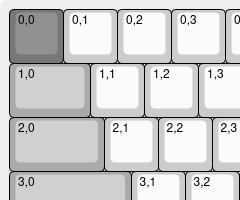
Matrix Coordinates
Matrix coordinates identify where each physical switch connects in the keyboard's electrical matrix. Each coordinate is written as row,col (e.g., 0,0, 0,1, 1,0).
The easiest way to assign coordinates is Extra Tools → Add Switch Matrix Coordinates. This tool lets you annotate your layout automatically or draw rows and columns manually. See Add Switch Matrix Coordinates for detailed instructions.
WARNING
Automatic annotations may not produce correct results for certain keyboard layouts, particularly ergonomic layouts with significant column splay. Manual correction may be required for complex designs. See issue #51 for details.
If you already have matrix coordinates (from a QMK or VIA import), they will appear in the top-left label position of each key.
Importing VIA Layouts
To import a VIA layout file (e.g., from the VIA keyboards repository):
Steps
- Click the Import button in the toolbar
- Select From File and choose a VIA JSON file (or use From URL with a direct link)
- The layout will be displayed and VIA metadata will appear in the VIA Metadata field of the Keyboard Metadata panel
Format Conversion
On import, kle-ng converts the VIA format to KLE format and preserves the VIA-specific metadata in a _kleng_via_data field within the KLE JSON, maintaining full KLE compatibility.
Alternative Layouts Preview
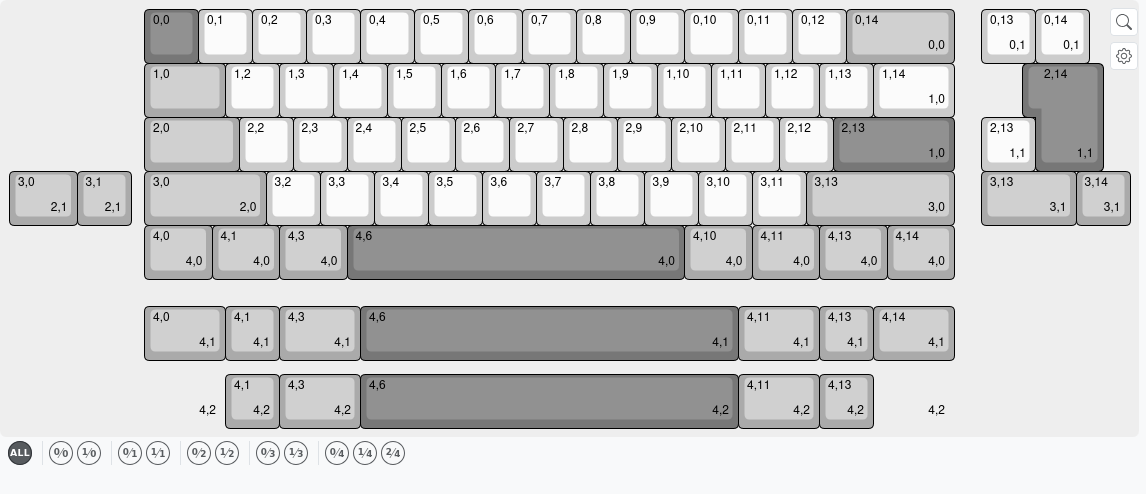
VIA keyboard definitions can declare alternative key layouts — different physical arrangements of the same keyboard. For example, a keyboard might support both a full-width backspace and a split backspace, or both ISO Enter and ANSI Enter. Each alternative is a separate layout option, and they are identified by special labels in VIA format.
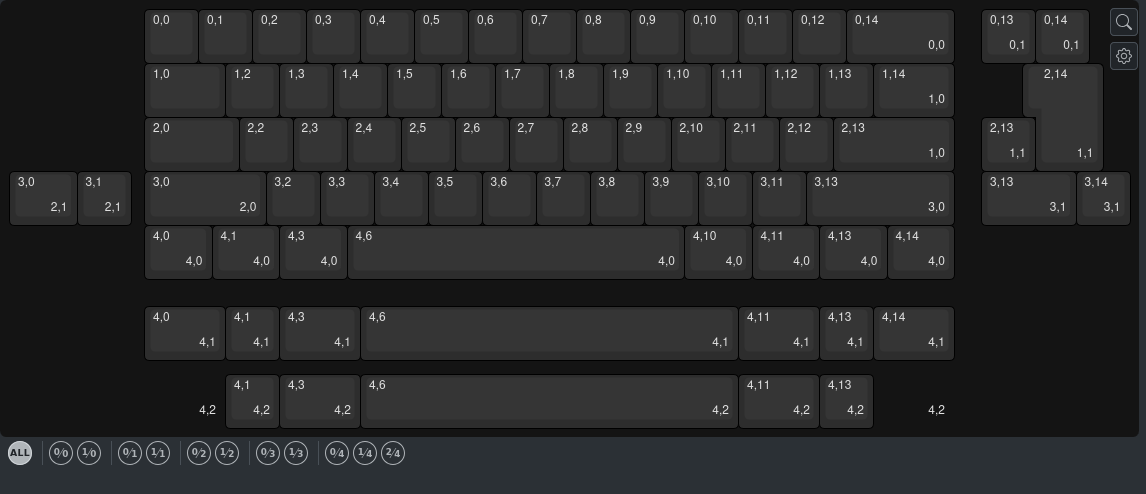
When you load a layout containing alternative layout options, a Layout Options toolbar automatically appears below the canvas. This toolbar lets you preview each layout variant without editing.
Layout Options Toolbar
The toolbar displays:
- An "all" button — shows all keys including alternatives. This is the normal, fully editable view.
- Choice buttons — one button for each layout variant, displayed as a fraction (e.g.,
1 ⁄ 2for choice 1 out of 2 variants). Hover over a button to see the VIA-provided name (e.g., "Split Backspace") if available, or a generic label like "Option 0 · Choice 1".
Preview Mode
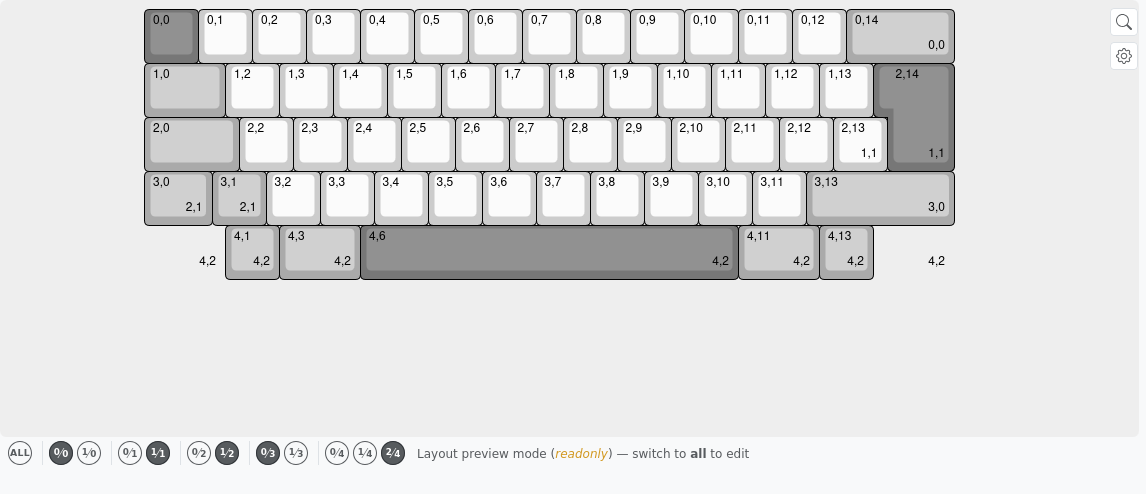
Click any choice button to enter preview mode, which displays only the keys that belong to that layout variant, with their physical positions on the assembled keyboard.
In preview mode:
- The layout is read-only — the Key Properties panel is disabled, mutation buttons do not work, and canvas gestures (drag, delete, paste) are blocked.
- An inline hint appears next to the toolbar reading: "Layout preview mode (readonly) — switch to all to edit".
- You can preview multiple option groups simultaneously by clicking different choice buttons for each group.
- Clicking "all" returns to the normal editable view, leaving your layout unchanged.
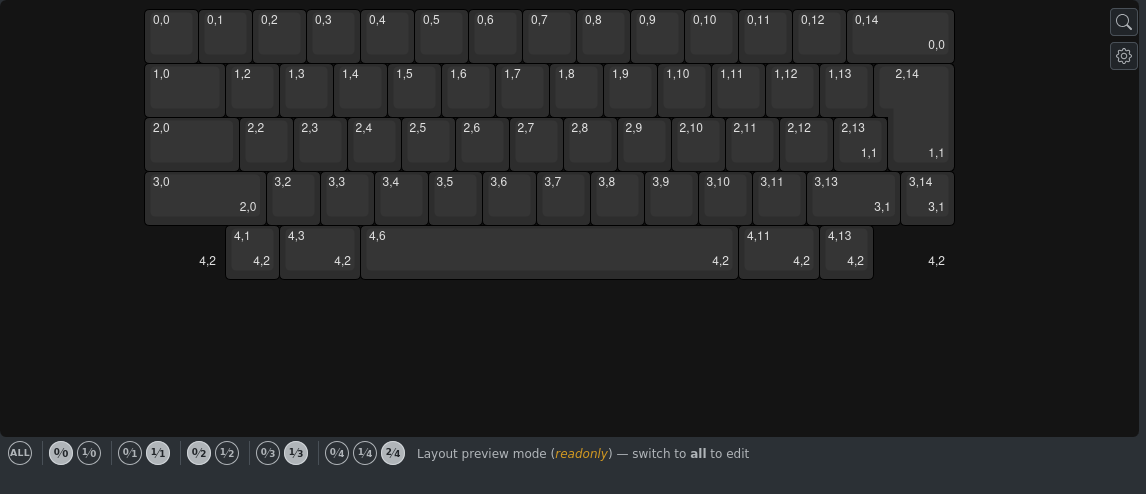
The toolbar is hidden when your layout does not contain alternative layout options.
Exporting to VIA Format
Layouts that contain VIA metadata can be exported back to VIA format:
Steps
- Click the Export button in the toolbar
- Select Download VIA JSON
Availability
INFO
The Download VIA JSON option is only available when VIA metadata is present in the layout.
Editing VIA Metadata
The VIA metadata is stored as JSON and can be edited directly in the VIA Metadata field. The editor validates your input in real-time — invalid JSON is highlighted with an error indicator.
WARNING
kle-ng does not validate the content of the JSON. It is your responsibility to maintain VIA format conventions as defined in the VIA specification.
Tips:
- Clearing the field removes all VIA metadata from the layout
- VIA metadata is preserved when exporting to KLE format (stored in the
_kleng_via_datafield) - You can manually edit the metadata to customize keyboard name, vendor ID, product ID, and other fields